
Multi-Currency Portfolio Tracker: All Your Investments in One Currency
In a nutshell
- ✓Automatic conversion: all positions are converted in real time to your reference currency
- ✓Zero manual work: no spreadsheets to update, no exchange rates to look up
- ✓True consolidated view: stocks, ETFs and crypto across all brokers in a single dashboard
- ✓Currency P&L isolation: see how much of your return is due to exchange rate movements
If you hold investments in dollars, euros, Swiss francs or pounds at different brokers, you know the pain: every time you want to know your total net worth you have to look up exchange rates, update a spreadsheet, hope you did not make a typo. It takes 30 minutes and you still are not sure the number is right.
DonkyCapital eliminates that friction entirely. Connect your brokers once, set your reference currency, and the platform handles everything else. You see your consolidated portfolio in your currency — always up to date, always accurate.
In this guide
- The multi-currency problem for investors
- How DonkyCapital handles currency conversion
- Manual vs automated: time and accuracy
- How to get started in 3 steps
- Who benefits most
- FAQ
What Is the Multi-Currency Problem for Investors?
More and more retail investors hold assets across different currencies. A typical European investor might own US-listed ETFs (USD), Swiss dividend stocks (CHF), and a crypto position (BTC quoted in USD or EUR). Each broker reports in its own currency.
This creates three concrete problems that compound over time:
Time cost
Looking up live exchange rates, updating a spreadsheet or Excel model, recalculating totals — this takes 20–40 minutes every time you want a complete picture.
Error rate
Manual exchange-rate lookups are error-prone. A stale rate or a formula mistake silently distorts your net worth and performance figures.
Hidden currency risk
Without separating asset performance from currency performance, you cannot tell whether your portfolio is up because your stocks gained or because the dollar strengthened.
How Does DonkyCapital Handle Multi-Currency Portfolios?
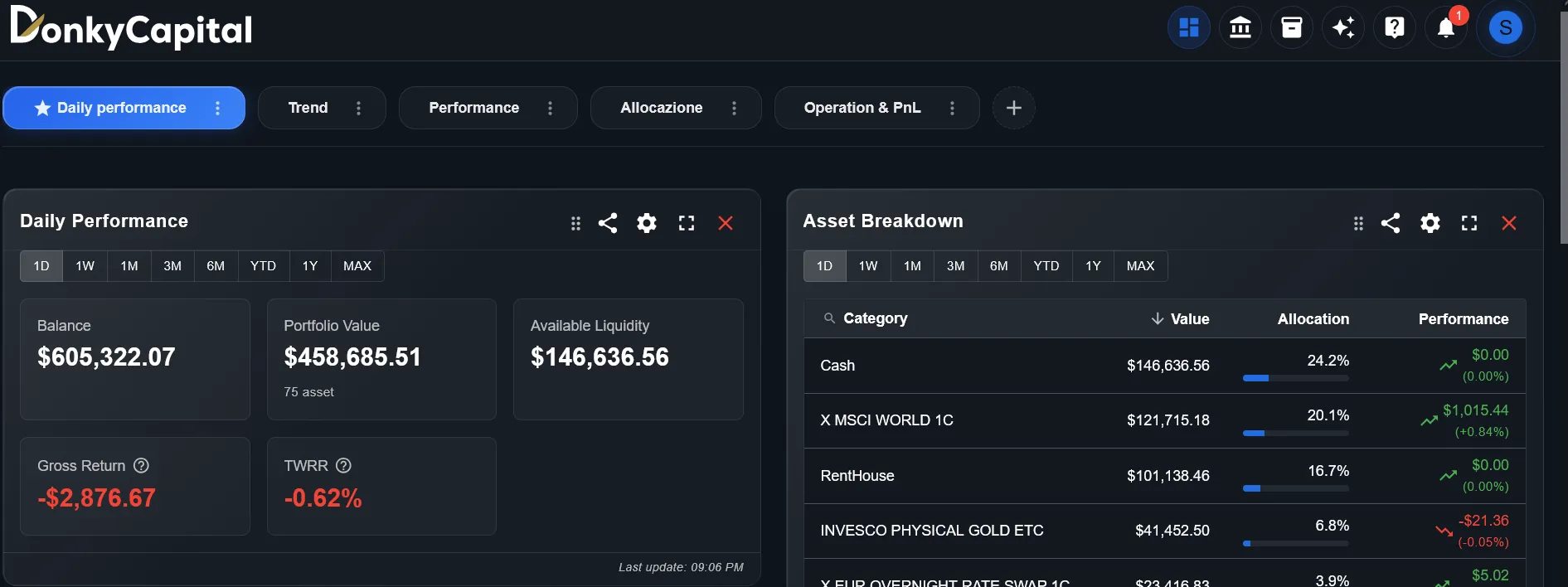
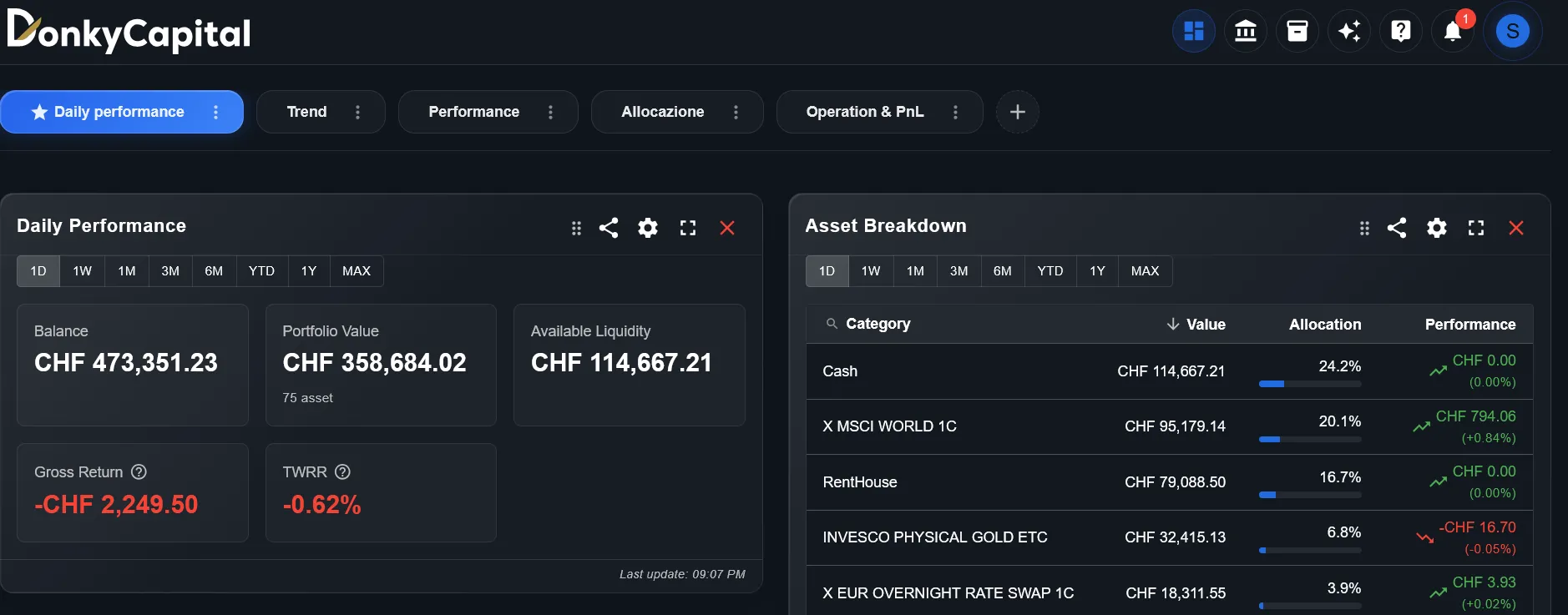
DonkyCapital fetches live exchange rates automatically and converts every position to your chosen reference currency before displaying any figure. There is nothing to configure after the initial setup.
Key capabilities of the multi-currency engine:
Real-time conversion
Exchange rates are refreshed continuously throughout the trading day. Your dashboard always reflects current market values, not yesterday's close.
Any reference currency
20 currencies supported: EUR, USD, GBP, CHF, JPY, AUD, CAD, SEK, NOK and more. Switch at any time; historical data is recomputed automatically.
Currency P&L breakdown
The platform separates asset-level returns from currency-level returns. You can see that your S&P 500 ETF gained 12% in USD but only 7% in EUR because the dollar weakened.
Multi-broker consolidation
Positions at DEGIRO (EUR), Interactive Brokers (USD), and Scalable Capital (EUR) are all pulled together. One view, one currency, zero manual work.
Manual Spreadsheet vs Automated Tracker: The Real Numbers
Here is what managing a 3-currency portfolio actually looks like in practice — with a spreadsheet versus with DonkyCapital:
| Manual (Excel) | DonkyCapital | |
|---|---|---|
| Update exchange rates | 5–10 min, weekly | Automatic, continuous |
| Recalculate totals | 5–15 min | Instant |
| Add a new transaction | 10–20 min | 2 min (CSV import) |
| Check currency P&L | Manual formula | Built-in view |
| Switch reference currency | Rewrite formulas | 1 click |
| Error risk | High (stale rates, typos) | Negligible |
For an investor who reviews their portfolio weekly, the spreadsheet approach costs roughly 3–5 hours per month in pure maintenance time.
How Do You Set Up a Multi-Currency Portfolio in DonkyCapital?
Getting started takes about 10 minutes:
Connect your brokers
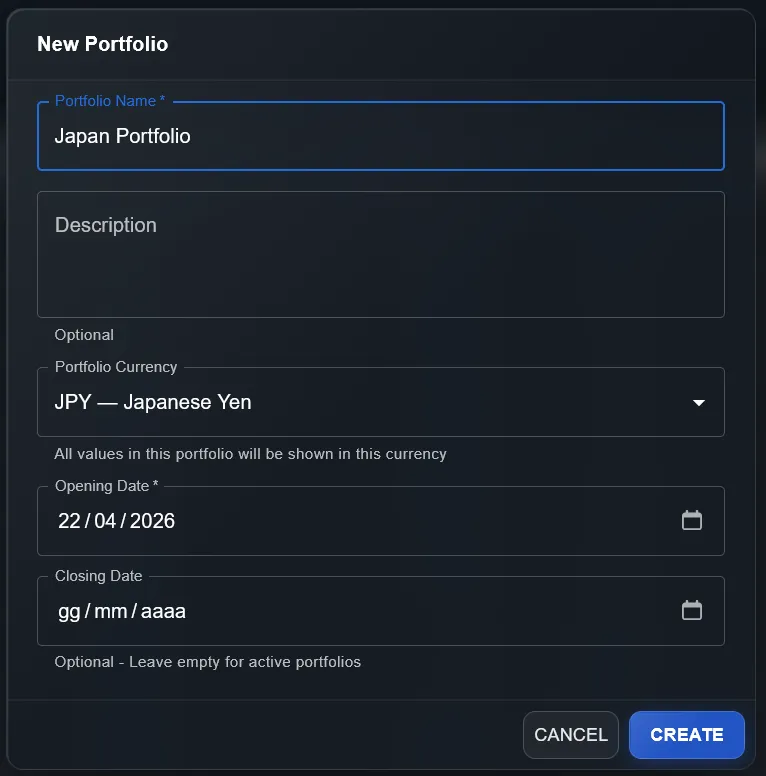
Import transactions via CSV from DEGIRO, Interactive Brokers, Scalable Capital, Fineco, Trade Republic and many others. DonkyCapital automatically detects the currency of each position.
Set your reference currency
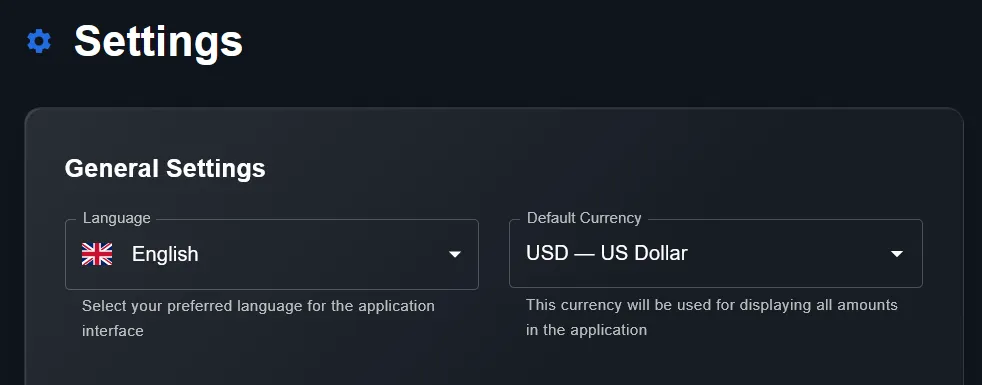
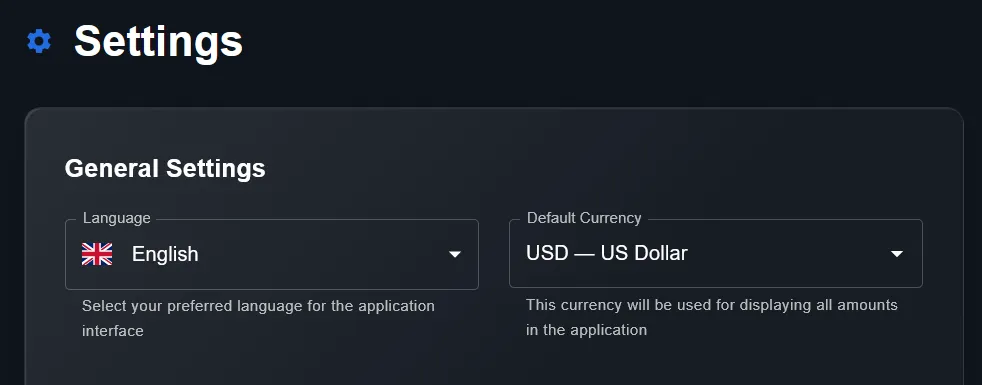
Go to settings and choose your home currency. 20 currencies are supported, including EUR, USD, GBP, CHF and JPY. This becomes the base for all dashboard figures.
View your consolidated dashboard
From that point, every portfolio view — total value, P&L, allocation — is shown in your reference currency, updated in real time. No formulas, no spreadsheet, no manual lookups.
Who Benefits Most from a Multi-Currency Tracker?
Multi-currency tracking is particularly valuable for:
Expats and international investors
You live in Europe but invest on US markets, or vice versa. Keeping track of your real purchasing-power return requires accurate currency conversion.
ETF investors with USD-denominated funds
Even if your broker is European, many ETFs (S&P 500, MSCI World, emerging markets) are priced in USD. The currency gap affects your true return.
Multi-broker investors
If you use more than one broker — which is common for cost optimization and asset safety — you are almost certainly dealing with multiple currencies.
Investors with Swiss franc or pound exposure
CHF and GBP assets are common among European investors but rarely handled well by basic spreadsheets or single-country tracking apps.
Stop Updating Spreadsheets. Start Tracking Properly.
Join the registrazione gratuita list and get automated multi-currency consolidation for your entire portfolio — across all brokers, all assets, all currencies.
Request Accesso gratuitoSupported Currencies
Exchange rates sourced from the European Central Bank, updated continuously during market hours.