
Trade Republic Portfolio Tracker: Import to DonkyCapital
Trade Republic is one of Europe's fastest-growing neo-brokers, offering commission-free trading in stocks, ETFs, crypto and bonds. But once your portfolio grows, you need more than a mobile app to analyse it. This guide shows you how to import your Trade Republic transactions into DonkyCapital and get a professional dashboard with real returns, dividend tracking and multi-broker consolidation.
TL;DR
- ▸Export: download your account statement PDF from Trade Republic app (Profile → Documents → Account Statement).
- ▸Import: upload the PDF to DonkyCapital — transactions are parsed and matched automatically.
- ▸Dashboard: see your real TWR return, P&L, dividends and asset allocation in one view.
- ▸Multi-broker: consolidate Trade Republic with Degiro, Scalable Capital, Fineco and more.
Trade Republic's in-app portfolio view is clean and easy to use, but it lacks advanced analytics: no TWR calculation, no benchmark comparison, no dividend calendar. DonkyCapital fills this gap by importing your Trade Republic data and adding the analytical layer you need.
What Does Trade Republic Export?
Trade Republic generates a detailed account statement PDF that includes your full transaction history. This document contains:
- Stock, ETF and bond purchases and sales with dates and prices
- Dividend and coupon payments received
- Savings plan (Sparplan) automatic purchases
- Crypto trades
- Cash deposits and withdrawals
Trade Republic's account statement PDF is a complete, auditable record of your financial activity — and DonkyCapital reads it directly.
Why Use DonkyCapital with Trade Republic?
DonkyCapital adds the analytical layer that Trade Republic's app does not provide:
- True Time-Weighted Return (TWR): your real performance isolated from cash flows
- Benchmark comparison: compare your portfolio against MSCI World, S&P 500 or a custom ETF
- Dividend calendar: see upcoming dividend payments and track income growth year by year
- Multi-broker consolidation: add Degiro, Scalable Capital or Fineco alongside Trade Republic
- AI Portfolio Analysis: get automated insights on overexposure, concentration risk and missing diversification
- Privacy-first: no Trade Republic login required — just upload the CSV file
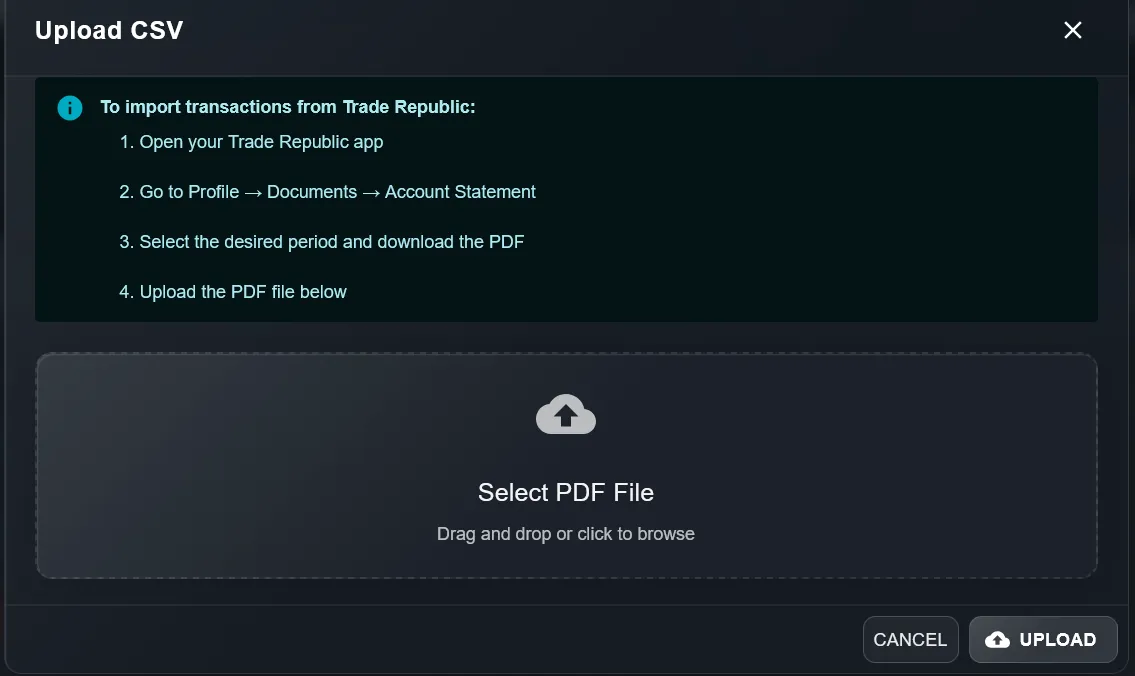
Step 1: Download Your Account Statement PDF from Trade Republic
- Open the Trade Republic app on your phone
- Tap your Profile icon (bottom right)
- Go to Documents → Account Statements
- Select the period you want to export (we recommend downloading the full history — one PDF per period)
- The PDF is saved to your device or can be shared directly
Tip: Trade Republic generates monthly or annual account statements. Download all available PDFs for a complete import history.
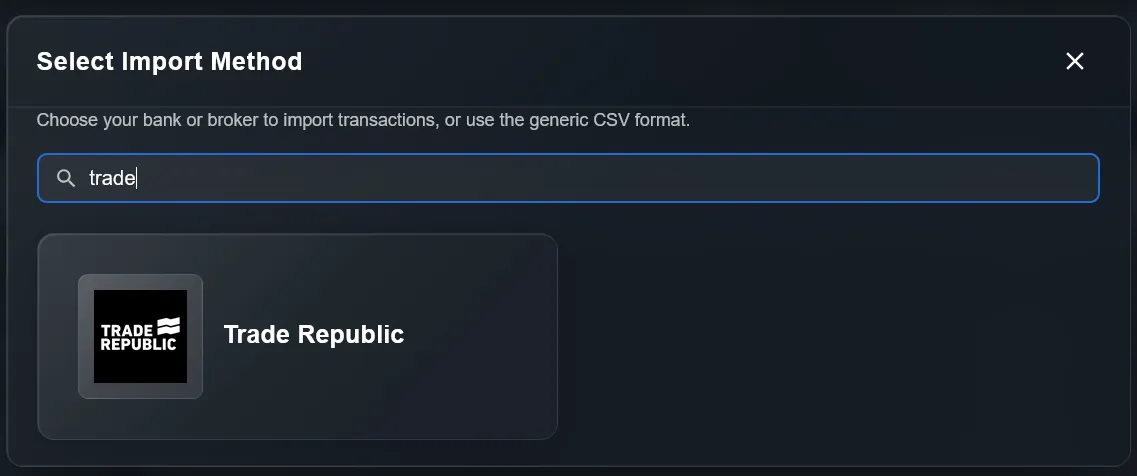
Step 2: Import the PDF into DonkyCapital
- Log in to app.donkycapital.com
- Go to Portfolio → Import
- Select Trade Republic as the source broker
- Upload the PDF account statement(s) you downloaded
- DonkyCapital parses the PDF and extracts all transactions automatically — review and confirm
You can import multiple PDFs at once to cover different time periods. DonkyCapital deduplicates transactions automatically.
Step 3: Set Up Your Dashboard
- After import, your transactions appear in your DonkyCapital portfolio
- Add a benchmark (e.g. Vanguard FTSE All-World) to compare your performance
- Enable the Dividend Calendar widget to track upcoming payments
- If you use other brokers, import them too — DonkyCapital consolidates everything in one Net Worth view
- Enable AI Portfolio Analysis to get personalised insights
Privacy note: DonkyCapital never asks for your Trade Republic login credentials. All data is imported via PDF only — your broker account stays completely private.
Frequently Asked Questions: Trade Republic & DonkyCapital
Does DonkyCapital support Trade Republic's Savings Plans (Sparplan)?
Yes. Savings plan transactions are included in the Trade Republic account statement PDF and are automatically recognised by DonkyCapital as regular purchases.
Can I import multiple Trade Republic PDF statements at once?
Yes. You can upload multiple PDF account statements covering different periods. DonkyCapital merges them chronologically and deduplicates any overlapping transactions.
Does DonkyCapital need my Trade Republic login?
No. DonkyCapital works entirely via PDF import — no Trade Republic username, password or API key is ever required. Your broker account remains completely private.
Can I combine Trade Republic with other brokers in DonkyCapital?
Yes. DonkyCapital is designed for multi-broker investors. Import from Trade Republic, Degiro, Scalable Capital, Fineco and more — all transactions are consolidated into one unified portfolio view.
How often should I update my Trade Republic data in DonkyCapital?
Download a new account statement PDF from Trade Republic whenever you want to sync recent transactions — monthly is sufficient for most investors.
Ready to analyse your Trade Republic portfolio professionally?
DonkyCapital offers a free plan. Import your Trade Republic transactions, add benchmarks and get AI-powered insights — all in one private dashboard.
Import Trade Republic to DonkyCapital FreeNo credit card. No Trade Republic login required.