
How to export Scalable Capital transactions and import them into DonkyCapital
If you use Scalable Capital to invest in ETFs, stocks, or mutual funds, you've probably wondered how to track all your operations easily and quickly. In this complete guide, I will explain how to export your transactions from Scalable Capital using the Chrome extension "Scalable Capital Transaction Exporter" and how to import them into DonkyCapital, the portfolio tracker that allows you to manage all your investments in a single dashboard, without using complicated Excel sheets.
Scalable Capital is one of the most used brokers in Europe, thanks to its modern and intuitive platforms. However, many transaction export functions are only available to PRIME+ customers.
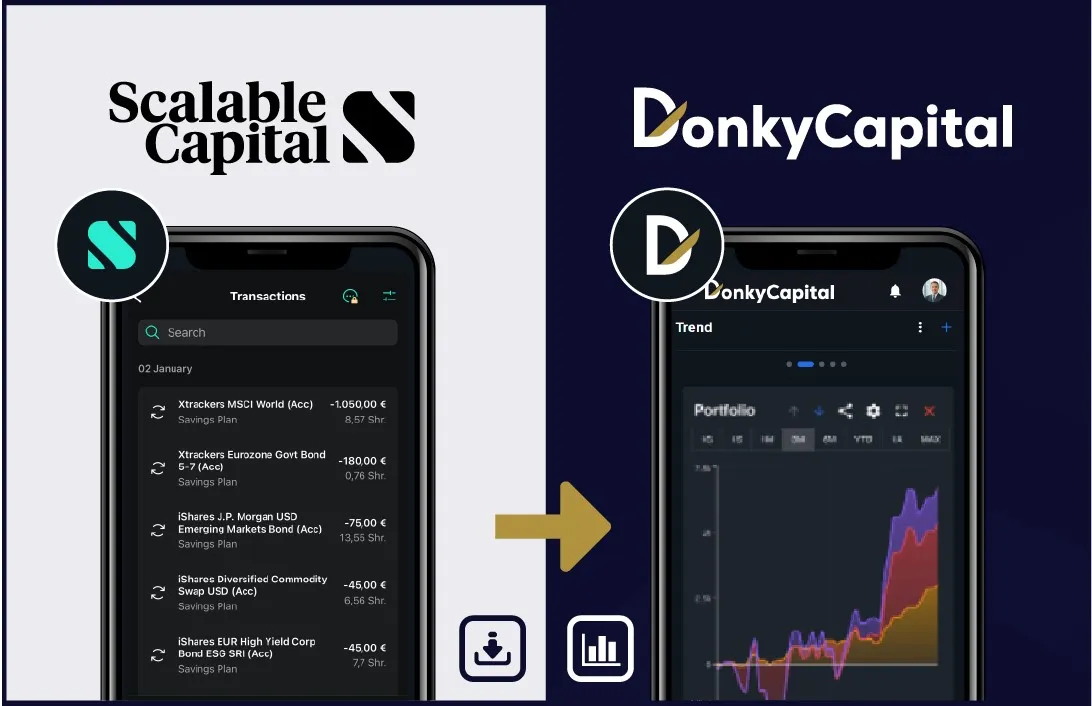
Why export data from Scalable Capital
If you don't want to pay for an additional plan or simply want more control over your data, the Chrome extension Scalable Capital Transaction Exporter is the ideal solution.
- Download your transactions in CSV, Excel (XLSX) even without a PRIME+ account;
- Keep all data on your device, without sending it to external servers;
- Use exported files for personal analysis or import them into DonkyCapital;
- Get detailed reports without additional costs.
This means that even those with a free account can finally get all the information on their transactions and have complete control over their portfolio.
Learn more about Scalable Capital features.
Why use DonkyCapital instead of the Scalable Capital website
The Scalable Capital website only shows transaction history and some basic investment information. It doesn't offer a complete portfolio view in terms of:
- Asset composition;
- Portfolio rebalancing;
- Sector or geographic exposure;
- Overall performance over time.
With DonkyCapital, however, you can have a complete and personalized dashboard, where you can view your entire wealth at a glance, analyze the progress of your investments, and make more informed decisions.
In other words, DonkyCapital allows you to see what Scalable Capital doesn't show you: total control of your portfolio.
Step 1 — Install the Chrome Extension
- Open Google Chrome on your computer.
- Go to the official extension page: Scalable Capital Transaction Exporter
- Click on "Add to Chrome" and confirm the installation.
- Once installed, you will see the extension icon near the address bar.
Tip: Always keep the extension updated to ensure it works correctly with new versions of Scalable Capital.
Step 2 — Export transactions
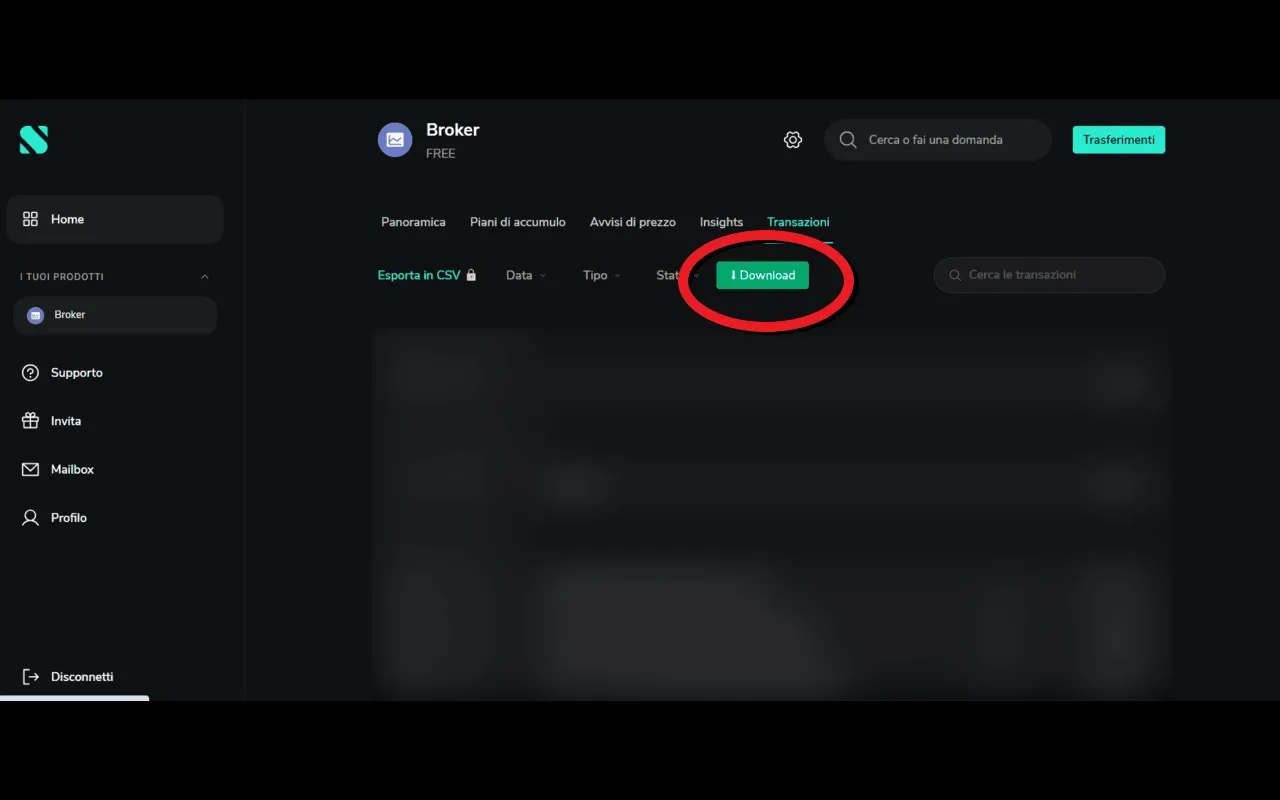
- Log in to your Scalable Capital account.
- Go to the "Transactions" or "Order History" section.
- Select the desired time period (e.g., last 12 months).
- Click on the Download icon of the Chrome extension.
- Choose the file format to export: CSV, Excel, or JSON.
The exported file contains all the main information: transaction date, asset title (ETF, stock, or fund), quantity, price, and type of operation (buy, sell, dividend).
Even without a PRIME+ account, you can get all transactions and import them into DonkyCapital for complete portfolio management.
Step 3 — Import data into DonkyCapital
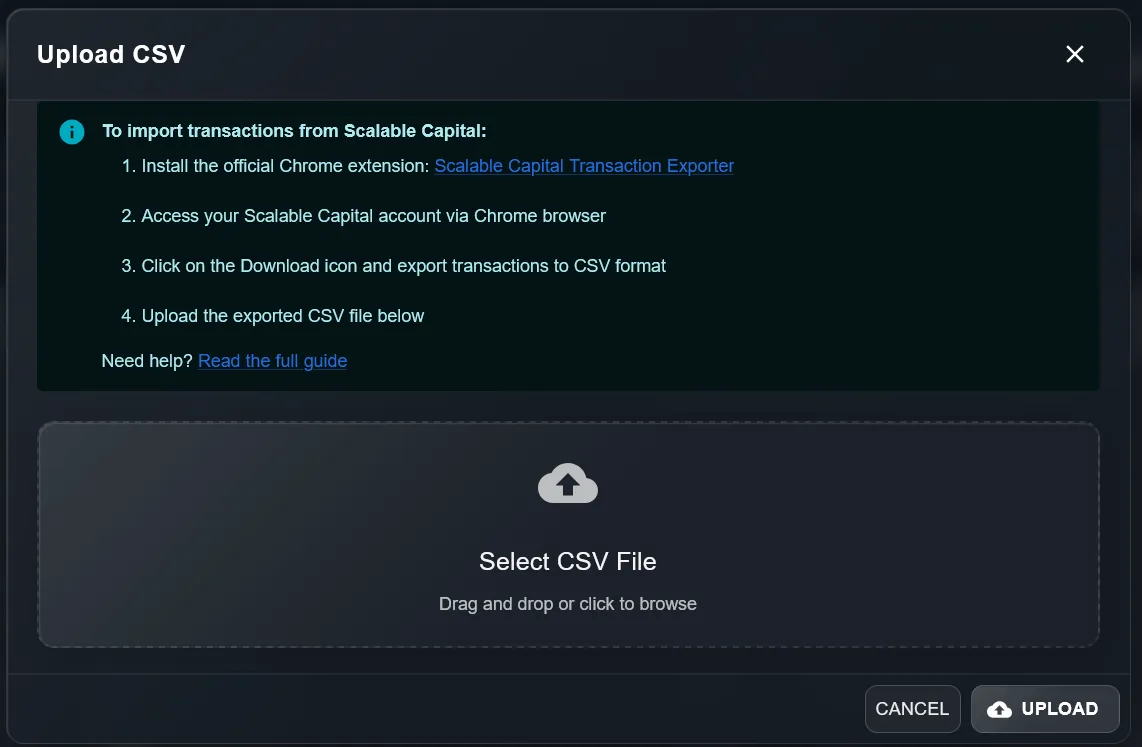
- Log in to DonkyCapital.com and open your account.
- Choose the portfolio to import transactions into and select "Import Transactions".
- Upload the CSV file exported from Scalable Capital.
- Confirm and wait for the file to be processed.
In a few seconds, all your transactions will be visible in the DonkyCapital dashboard, with detailed reports on:
- Portfolio composition;
- Asset balancing;
- Sector and geographic exposure;
- Performance and profits/losses;
- Comparison between multiple portfolios if you manage several.
This level of analysis is not available on the Scalable Capital website, which is limited to historical transactions.
Privacy and data security
- The extension does not send data to external servers: everything happens in your browser.
- DonkyCapital does not require broker login credentials to import CSV/Excel files.
- You can save exported files on your computer or a personal cloud without risks.
Practical tips for managing transactions
- Export data regularly, for example every month, so DonkyCapital is always up to date.
- Keep CSV/Excel files in a dedicated folder on your PC to always have a backup copy.
- Always check the data after importing to verify that all transactions are correct.
- Take advantage of the fact that even free accounts can get all the necessary information without having to subscribe to a PRIME+ plan.
Frequently Asked Questions (FAQ)
Yes, even without PRIME+, you can export all transactions and import them into DonkyCapital.
Yes, just use Google Chrome or a Chromium-based browser.
Yes, by selecting the export period in the extension.
Absolutely: it doesn't require broker credentials and all data is processed on DonkyCapital's secure server.
Yes, the extension exports all transactions visible in Scalable Capital's order history.
Conclusion
By following this guide, you can finally:
- Easily extract transactions from Scalable Capital, even without a PRIME+ account;
- Import them into DonkyCapital;
- Have a complete portfolio view, with advanced analysis of assets, balancing, exposure, and performance;
- Manage everything in a single dashboard without Excel sheets or complicated tools.
DonkyCapital transforms your data into useful information, helping you make more conscious and faster investment decisions.
Visit Scalable Capital official website for more information about their platform.
Ready to take control of your investments?
2-minute setup. No commitment. Cancel anytime.
Get Started Free - No Card Required